Technical Documents
Specifications
Brand
StarTech.comAudio Connection Type
HDMI
Product Type
Video Extender
Video Connection Type
HDMI
Number of Video Ports
1
Transmission Method
HDBaseT
Maximum Resolution
4096 x 2160 pixel
Extension Distance
70m
Power Consumption
18W
Sub Type
Extender
Local Device Weight
252g
Remote Device Weight
252g
Local Device Depth
68mm
Local Device Height
2.5mm
Local Device Width
80mm
Standards/Approvals
CE/FCC
Remote Device Depth
68mm
Remote Device Width
80mm
Country of Origin
Taiwan, Province Of China
Product Details
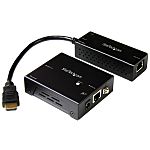
This 4K HDMI extender uses HDBaseT to transmit your HDMI A/V signal to a remote location up to 70 m (230 ft.) away.
Easy and Discreet Installation
The transmitter in this HDMI HDBaseT extender kit features a small footprint and built-in HDMI cable that connects directly to your source for reduced clutter. Its powered from a USB port on your source device, which makes it easier to install in areas where power outlets may be limited. Mounting hardware is included for the receiver for a discreet, professional installation.
Get 4K Video at 130 ft. (40 m)
This HDMI over CAT6 extender maintains your UHD 4K picture quality, even at 130 feet away from your video source. Because the extender is backward compatible with 1080p and lower resolutions at 230 feet away, you can comfortably use this extender to make any video source look great. The extender also supports 7.1 audio to ensure all audio channels are captured.
Seamless Integration with Your Existing Infrastructure
The kit extends HDMI over a single cable, unlike some HDMI extenders that require two cables, reducing potential failure points and lowering your cabling costs. Ideal for digital signage, the HDMI over CAT6 extender uses standard CAT5e, CAT6 or CAT7 cables to extend HDMI video over the Ethernet infrastructure that's already in your building.
The ST121HDBTDK is backed by a StarTech.com 2-year warranty and free lifetime technical support.
I need to convert a video signal and extend it. Which order should I do this in?
If you need to use a video extender with a video adapter or converter, you should position the adapter or converter as close to the video source as possible. For example, if you need to take a VGA signal from a computer and send it 200 feet to an HDMI® projector, you should convert the signal from VGA to HDMI and use an HDMI extender.
Stock information temporarily unavailable.
EGP 50,388.00
EGP 50,388.00 Each (ex VAT)
1
EGP 50,388.00
EGP 50,388.00 Each (ex VAT)
Stock information temporarily unavailable.
1
Technical Documents
Specifications
Brand
StarTech.comAudio Connection Type
HDMI
Product Type
Video Extender
Video Connection Type
HDMI
Number of Video Ports
1
Transmission Method
HDBaseT
Maximum Resolution
4096 x 2160 pixel
Extension Distance
70m
Power Consumption
18W
Sub Type
Extender
Local Device Weight
252g
Remote Device Weight
252g
Local Device Depth
68mm
Local Device Height
2.5mm
Local Device Width
80mm
Standards/Approvals
CE/FCC
Remote Device Depth
68mm
Remote Device Width
80mm
Country of Origin
Taiwan, Province Of China
Product Details
This 4K HDMI extender uses HDBaseT to transmit your HDMI A/V signal to a remote location up to 70 m (230 ft.) away.
Easy and Discreet Installation
The transmitter in this HDMI HDBaseT extender kit features a small footprint and built-in HDMI cable that connects directly to your source for reduced clutter. Its powered from a USB port on your source device, which makes it easier to install in areas where power outlets may be limited. Mounting hardware is included for the receiver for a discreet, professional installation.
Get 4K Video at 130 ft. (40 m)
This HDMI over CAT6 extender maintains your UHD 4K picture quality, even at 130 feet away from your video source. Because the extender is backward compatible with 1080p and lower resolutions at 230 feet away, you can comfortably use this extender to make any video source look great. The extender also supports 7.1 audio to ensure all audio channels are captured.
Seamless Integration with Your Existing Infrastructure
The kit extends HDMI over a single cable, unlike some HDMI extenders that require two cables, reducing potential failure points and lowering your cabling costs. Ideal for digital signage, the HDMI over CAT6 extender uses standard CAT5e, CAT6 or CAT7 cables to extend HDMI video over the Ethernet infrastructure that's already in your building.
The ST121HDBTDK is backed by a StarTech.com 2-year warranty and free lifetime technical support.
I need to convert a video signal and extend it. Which order should I do this in?
If you need to use a video extender with a video adapter or converter, you should position the adapter or converter as close to the video source as possible. For example, if you need to take a VGA signal from a computer and send it 200 feet to an HDMI® projector, you should convert the signal from VGA to HDMI and use an HDMI extender.